Turning visa and tax-residency rules into a calm daily tracker
My own iOS app for people who live between countries. It keeps a record of days spent in each country and answers what depends on it: tax residency, residence permits, Schengen trips.
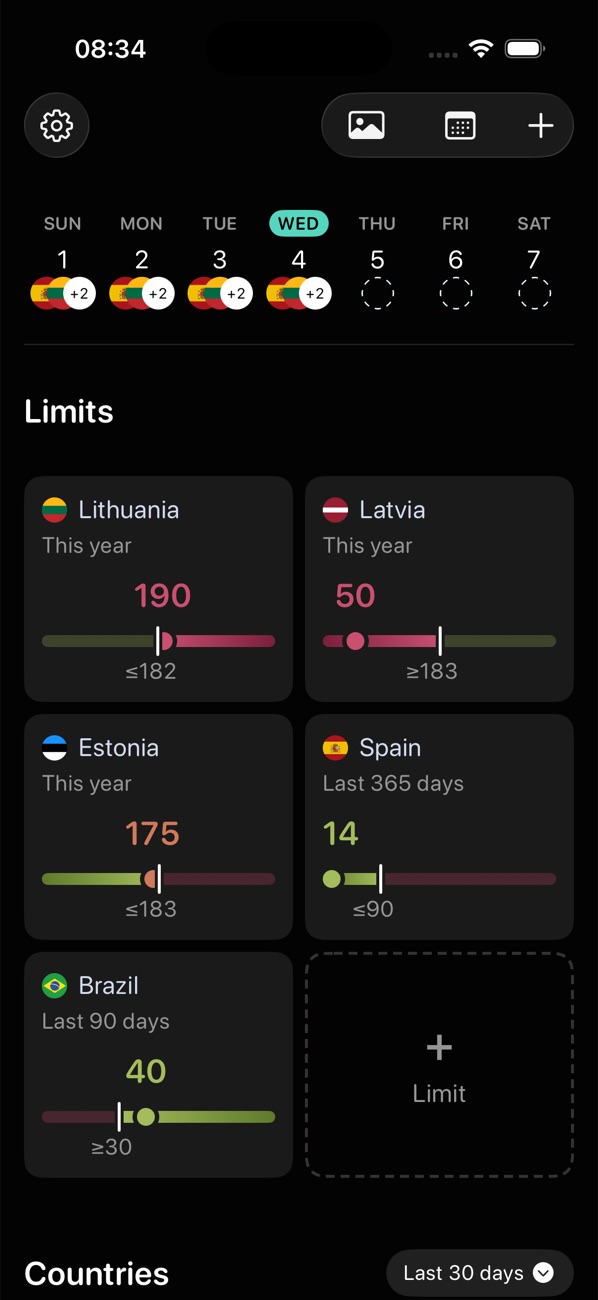
 Live on the App Store · v1.3.0
People who live between countries count days by hand, in notes and spreadsheets. A wrong count can cost a permit, a visa or tax residency.
One travel history, filled in mostly automatically and easy to correct, behind every answer the app gives: statistics, personal limits, Schengen planning.
Live since April 2025 in five languages, with paying users in several countries.
The app in motion
The history is the hard part, not the rule
Expats watch tax-residency thresholds, often around 183 days a year, and minimum stays for residence permits. Digital nomads juggle a limit in every country they pass through. Travellers on Schengen visas need to know whether the next trip fits the 90/180 rule.
I live abroad myself and started from my own spreadsheet. Then I talked to expats and digital nomads and reviewed the main day-counting apps and their user reviews. Three findings set the direction:
People know their limits but rebuild their travel from memory right before a deadline.
GPS-only apps miss flights and drain the battery, and users want to correct what the app records.
A total without the trips behind it is hard to rely on.
One goal: calm control
Day-counting is about real risks, so I set one goal for the product: calm control.
Fix a date once, and statistics, the map, limits and the Schengen planner all update.
Found trips are reviewed before saving, and any automatic check-in can be edited or removed.
A total shows its trips; a rule shows its source.
Three sources, one review step
New users arrive with months of travel to log. Asking them to type it loses them; trusting a single automatic source loses accuracy.
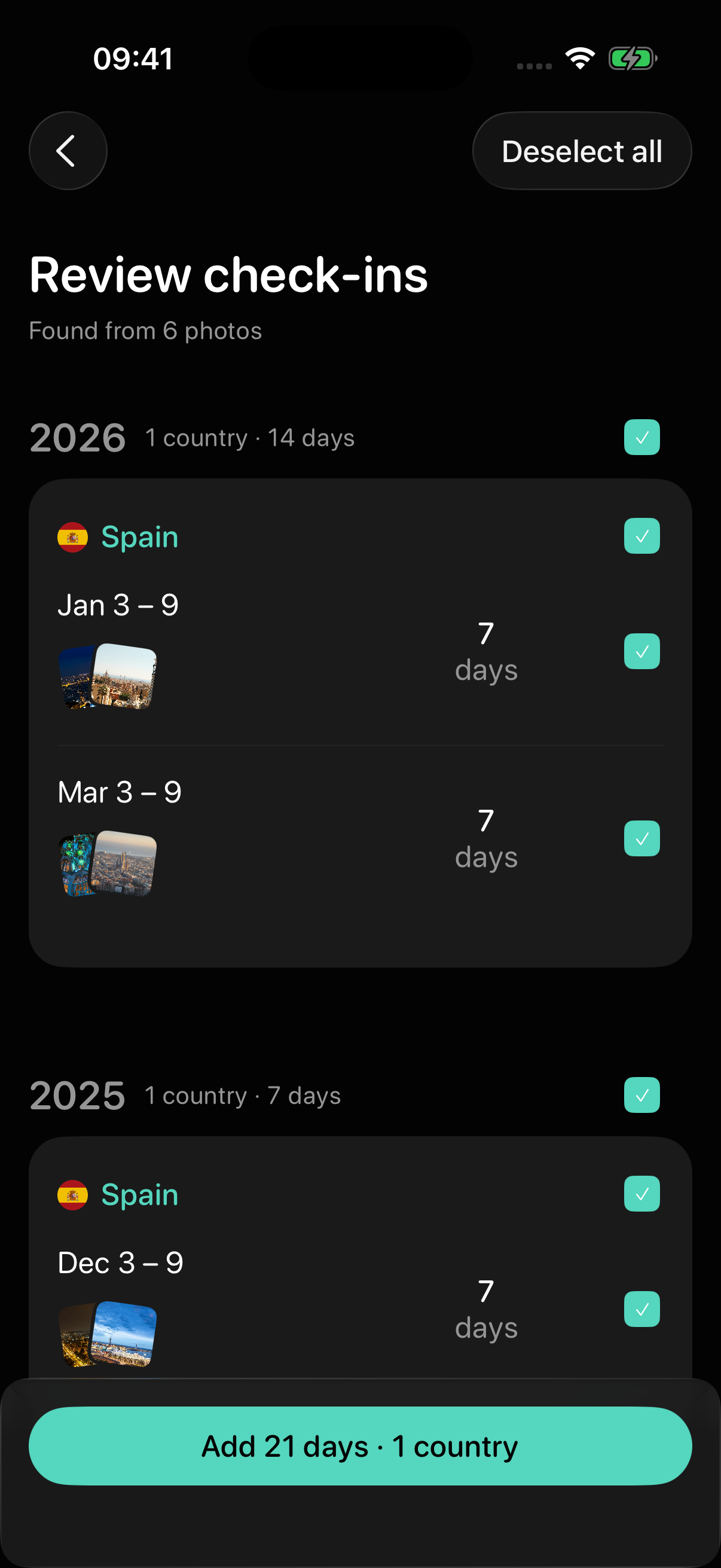
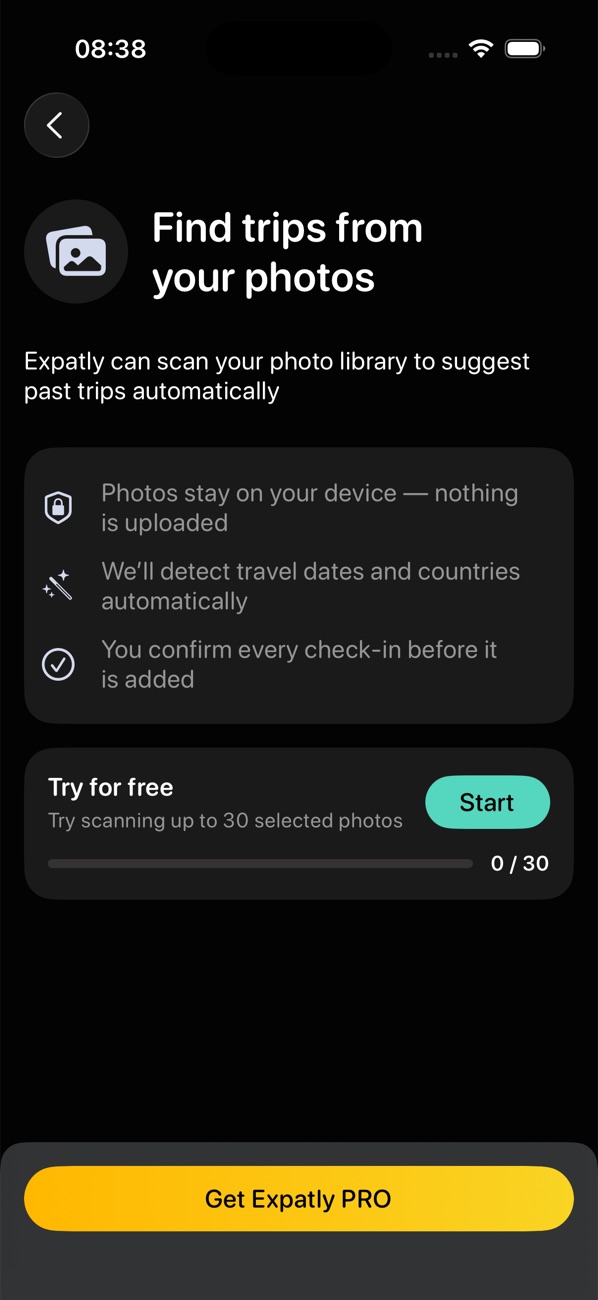
I gave three sources separate jobs: a two-tap check-in for today, location for the present, an on-device photo scan for the past. Photo scans and file imports end on a review screen, where nothing is saved until the person confirms it.
A location check-in asks before saving today's country; background check-ins, once switched on, run on their own and can be corrected later. Each permission request is preceded by a plain explanation of what the app reads, and a refused permission leads to an alternative, not a dead end.
Each source covers another's gaps, and review appears where errors are most likely — in bulk imports of the past.
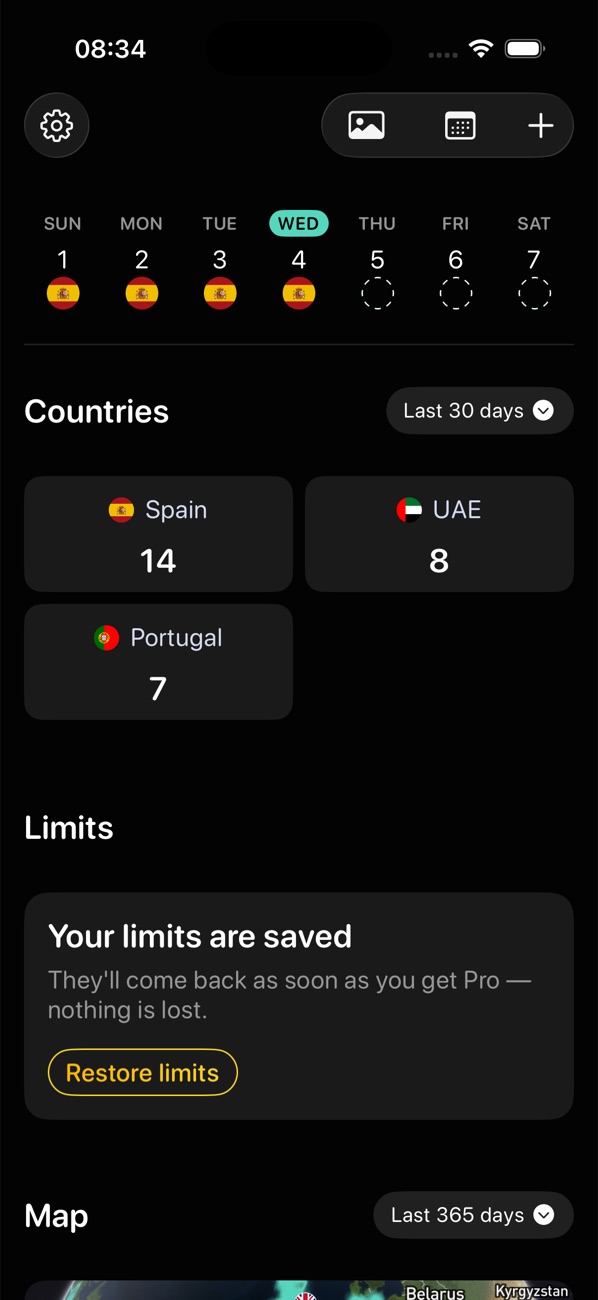
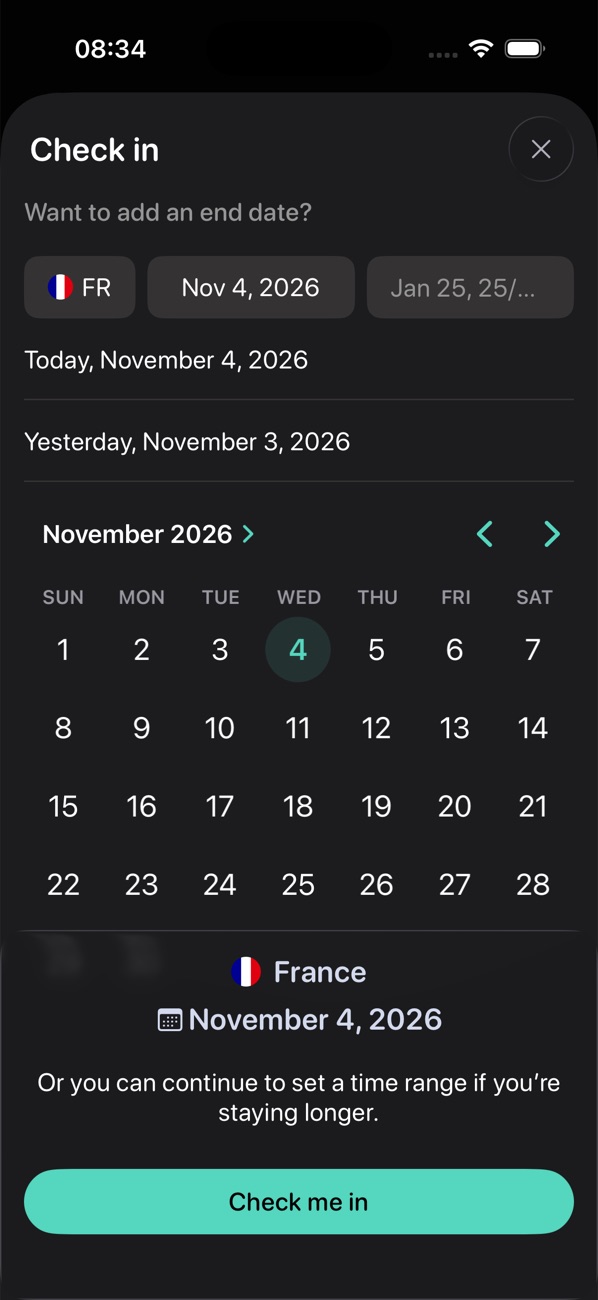
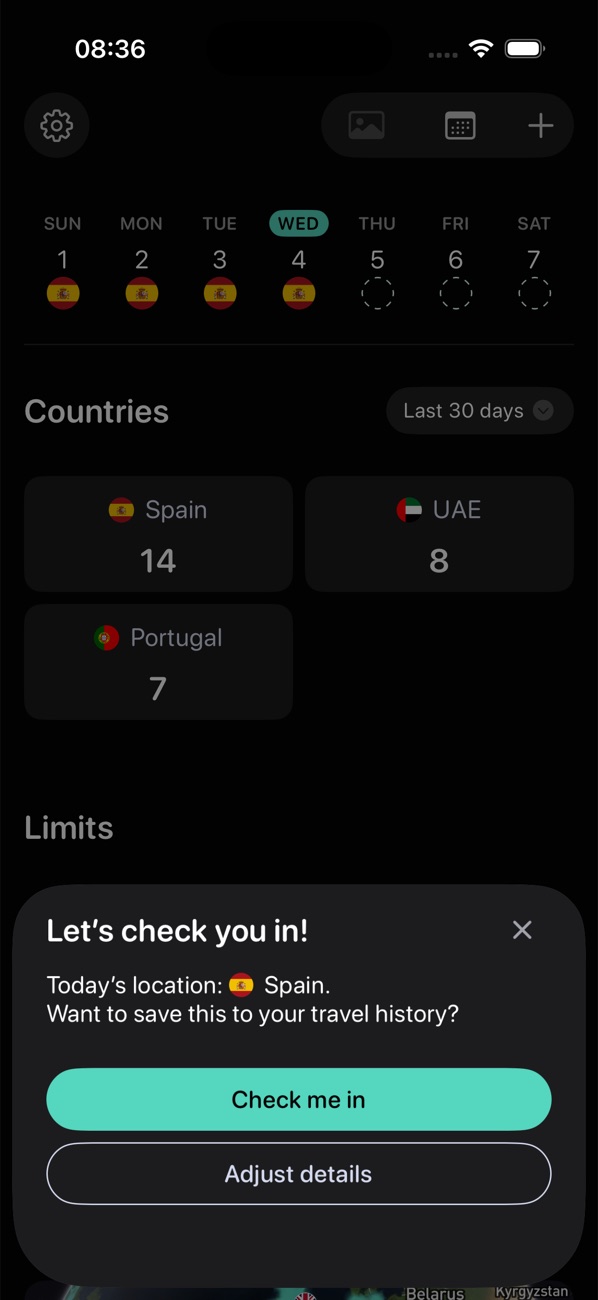
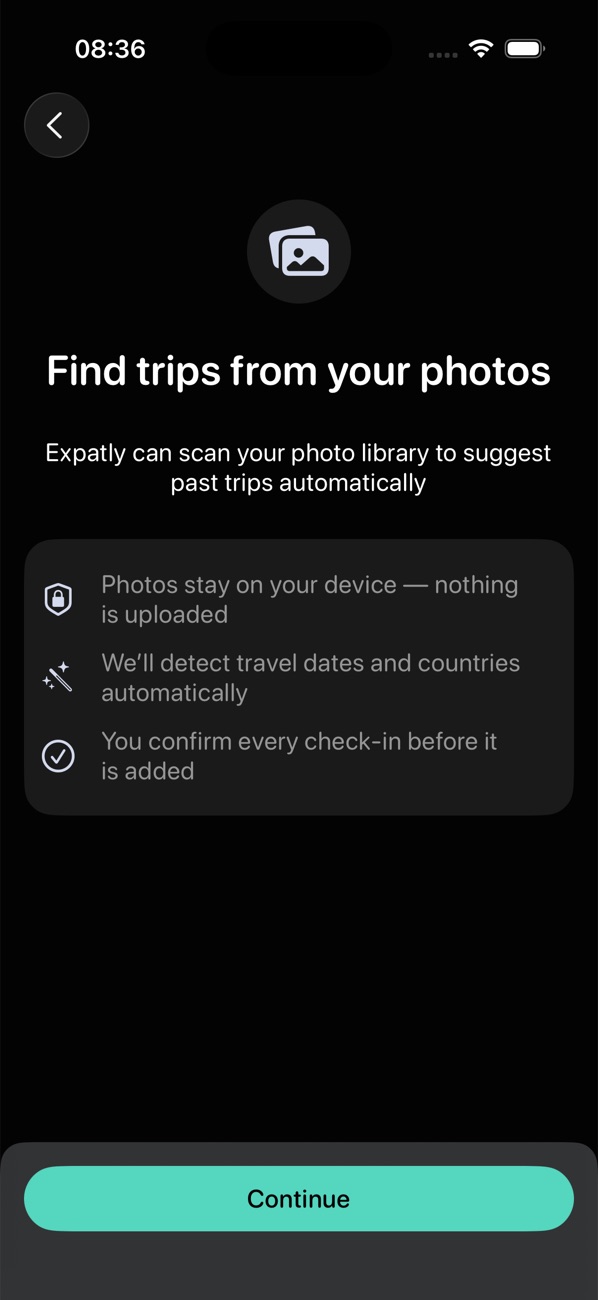
The scan finds 29 photos taken abroad
Found trips wait on the review screen
One tap adds 25 days in 4 countries
The home screen shows the new days
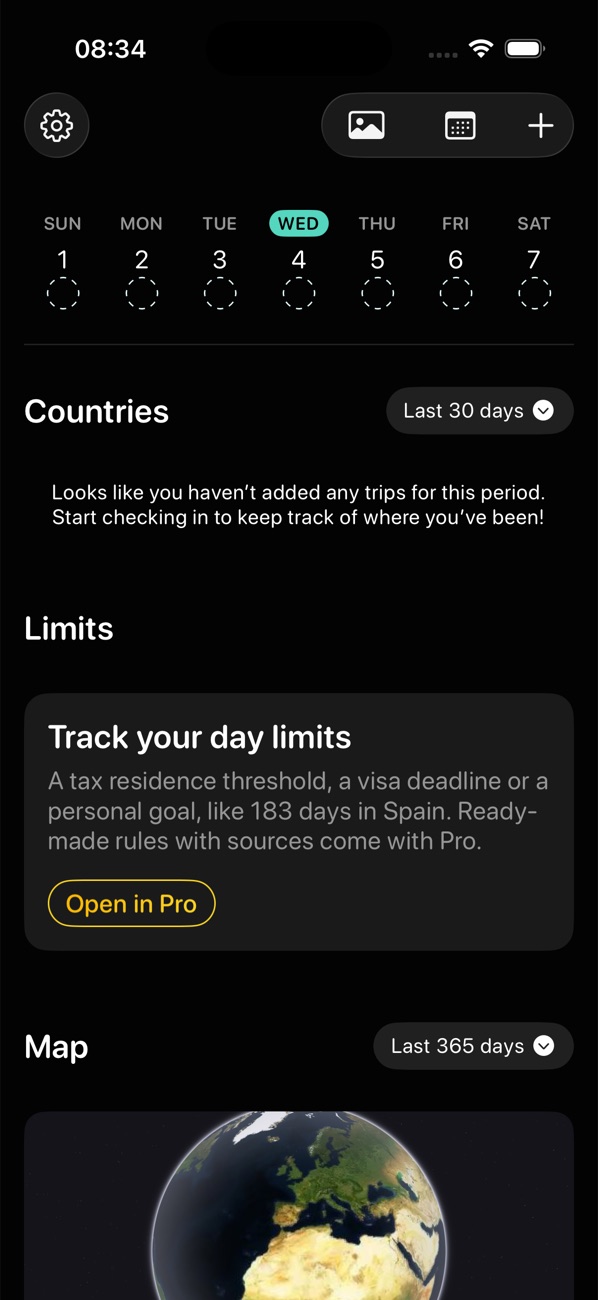
One model for every limit
Users asked to track more than Schengen: tax residency, permit requirements, personal goals. A separate calculator for each rule would not scale, and a generic rule builder would be too hard to set up.
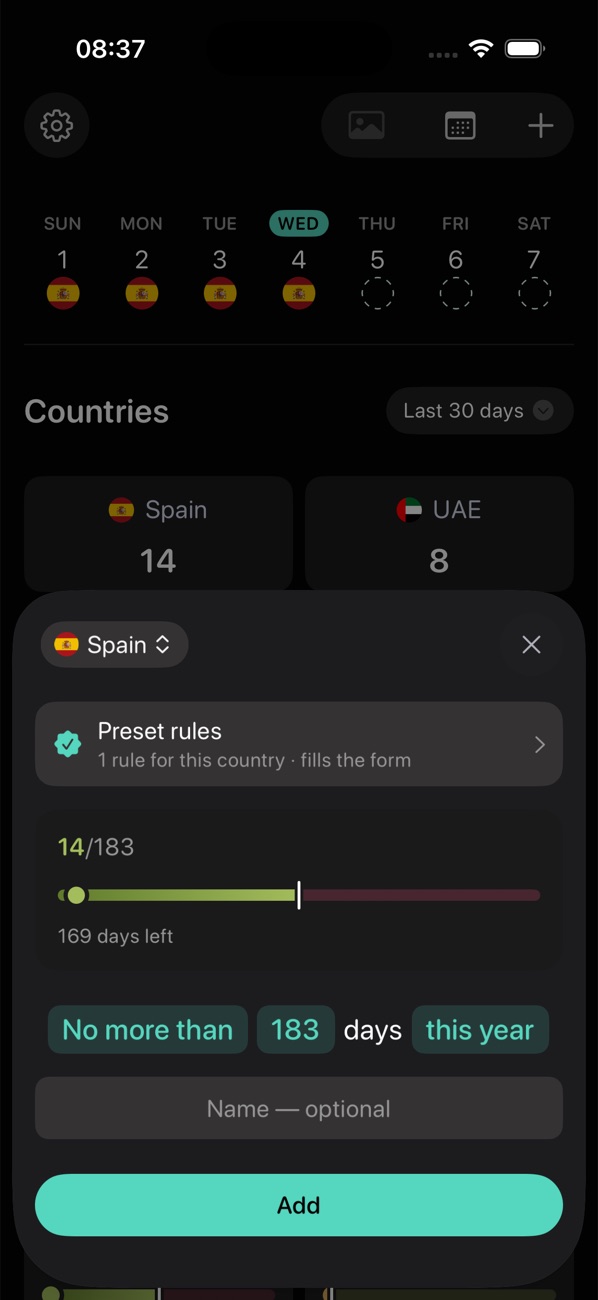
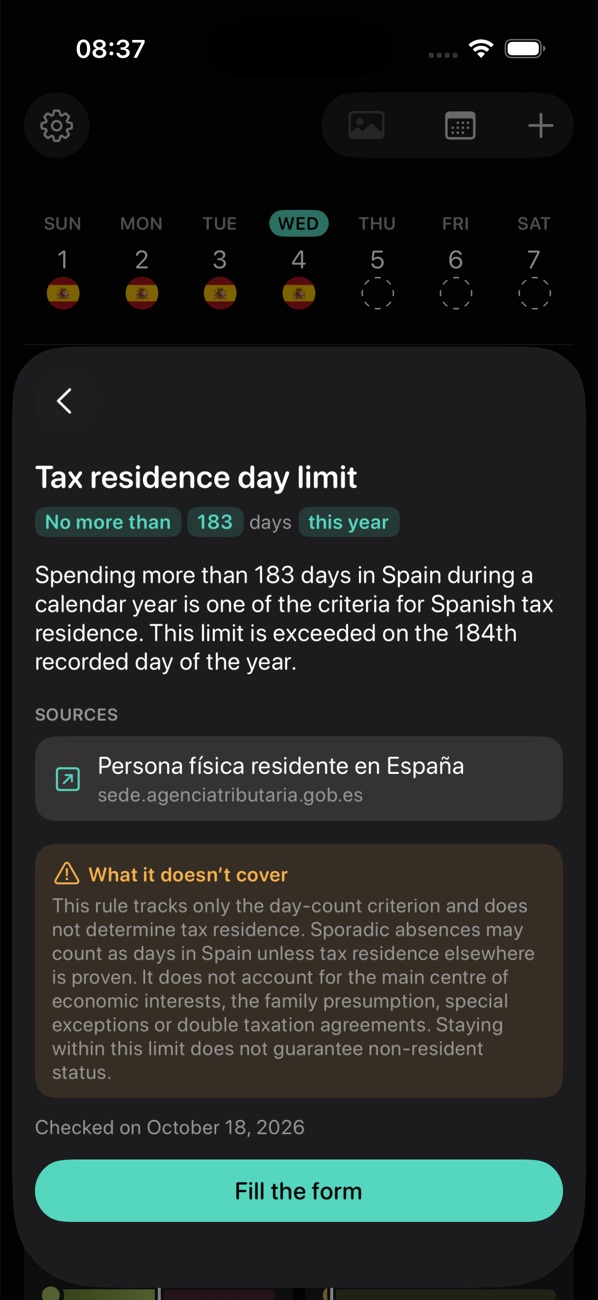
I reduced every rule to four parts — country, direction, number of days, period — and made it read as a sentence: “No more than 183 days this year”. Presets fill the sentence for common cases and show the official source, what the rule does not cover and when it was last checked.
Tap “+ Limit” and pick Canada
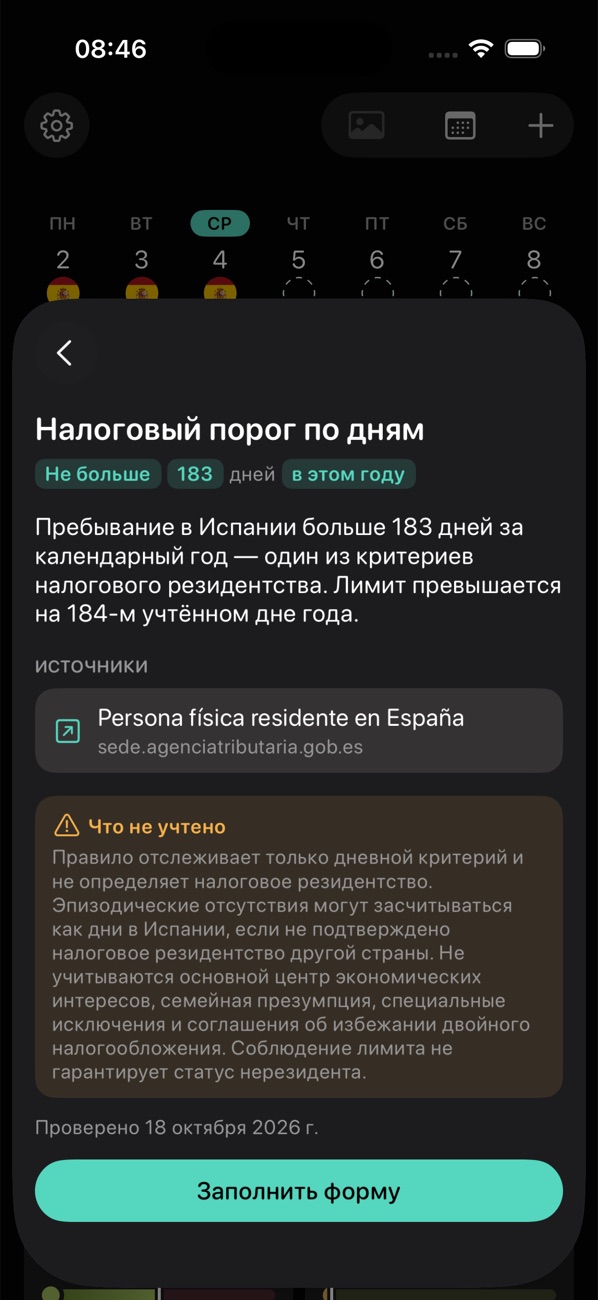
A preset explains the rule, its source and what it doesn't cover
“Fill the form” turns it into a limit
The card appears on the home screen
 123
“No more than 183 days this year”: what is counted and against what, readable without the law in front of you.
A link to the government page, so anyone can check the rule themselves.
Days are only one of the residency criteria. The card names the others, so staying under the limit isn't read as “you're not a tax resident”.
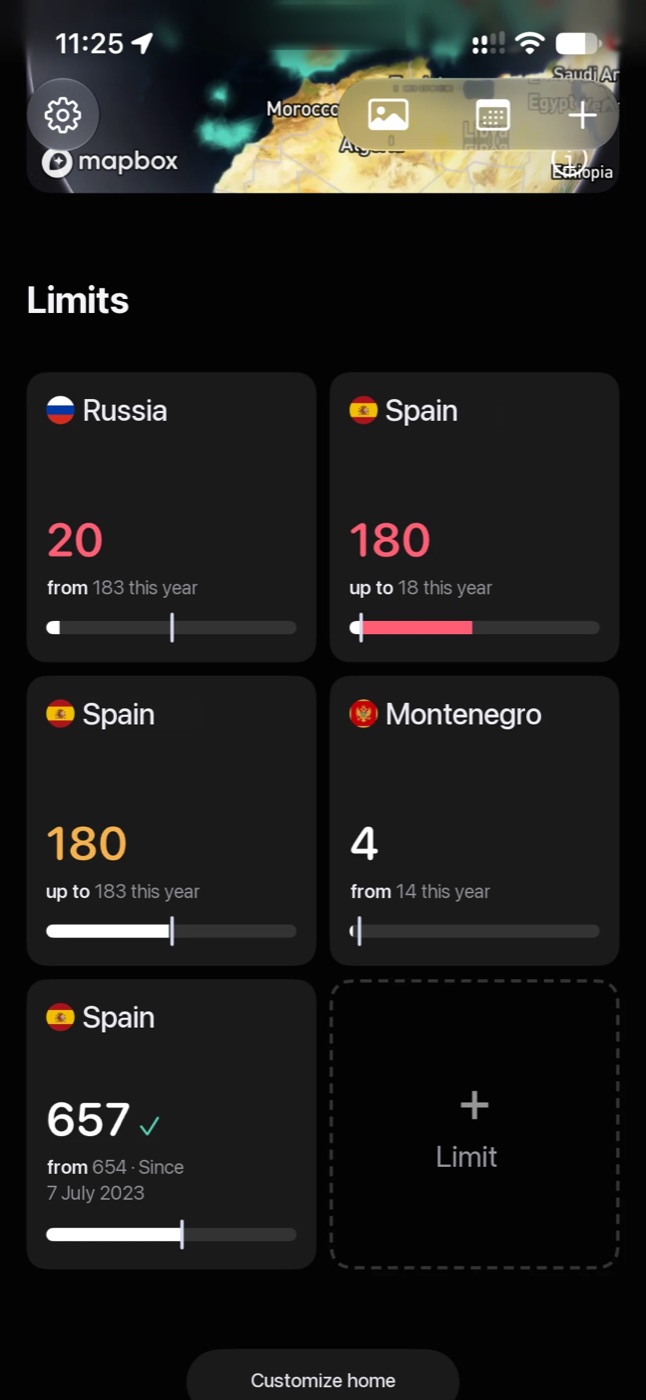
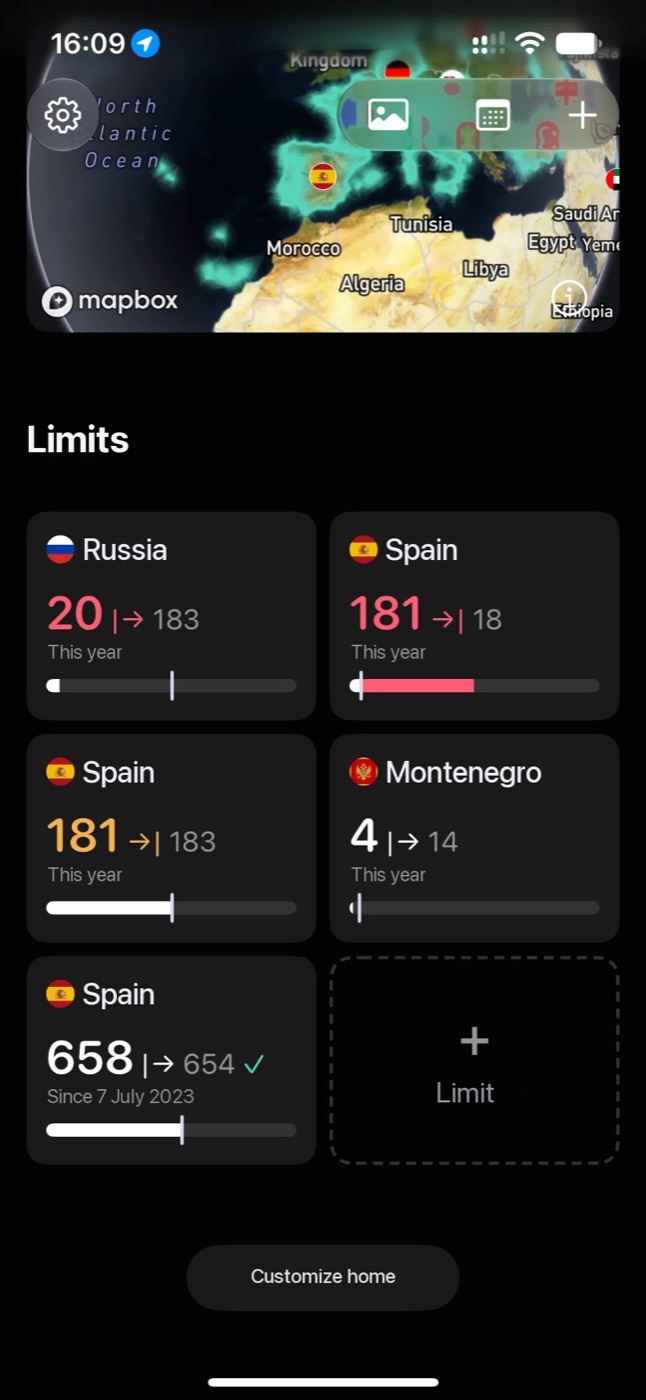
The home-screen card
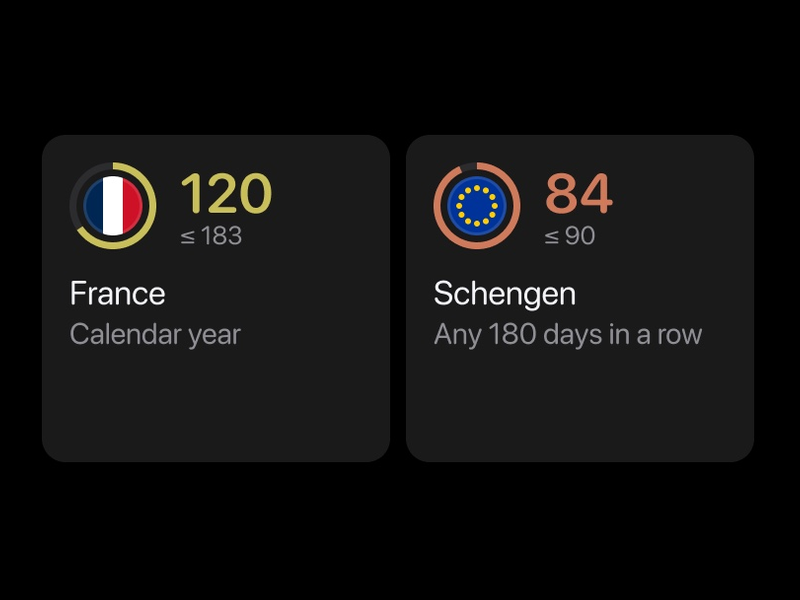
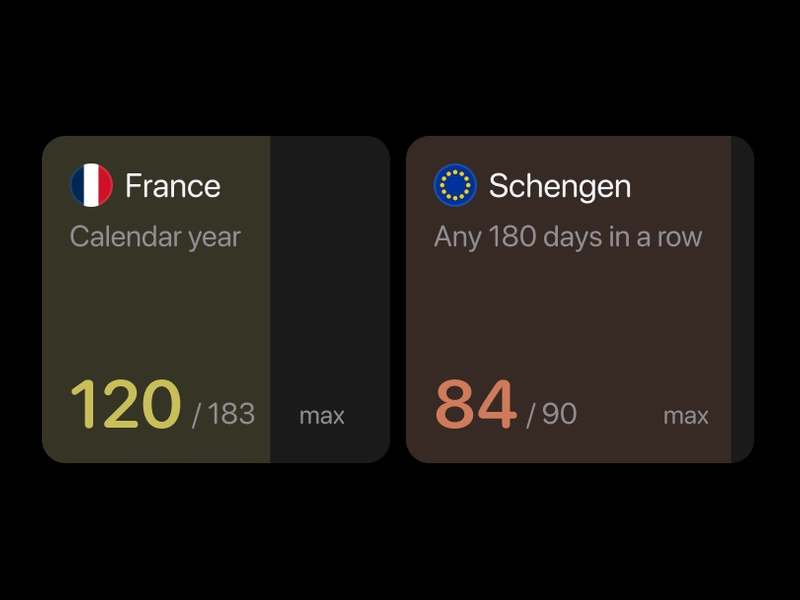
The home-screen card took the most iterations. It had to work both for a ceiling, where going over is the problem, and for a floor, where staying under is. In the first version the bars were hard to read: it wasn’t clear what the colours and the marker meant. After several rounds of palettes, layouts and edge cases, both types share one bar whose colour means only “on track” or “not”.
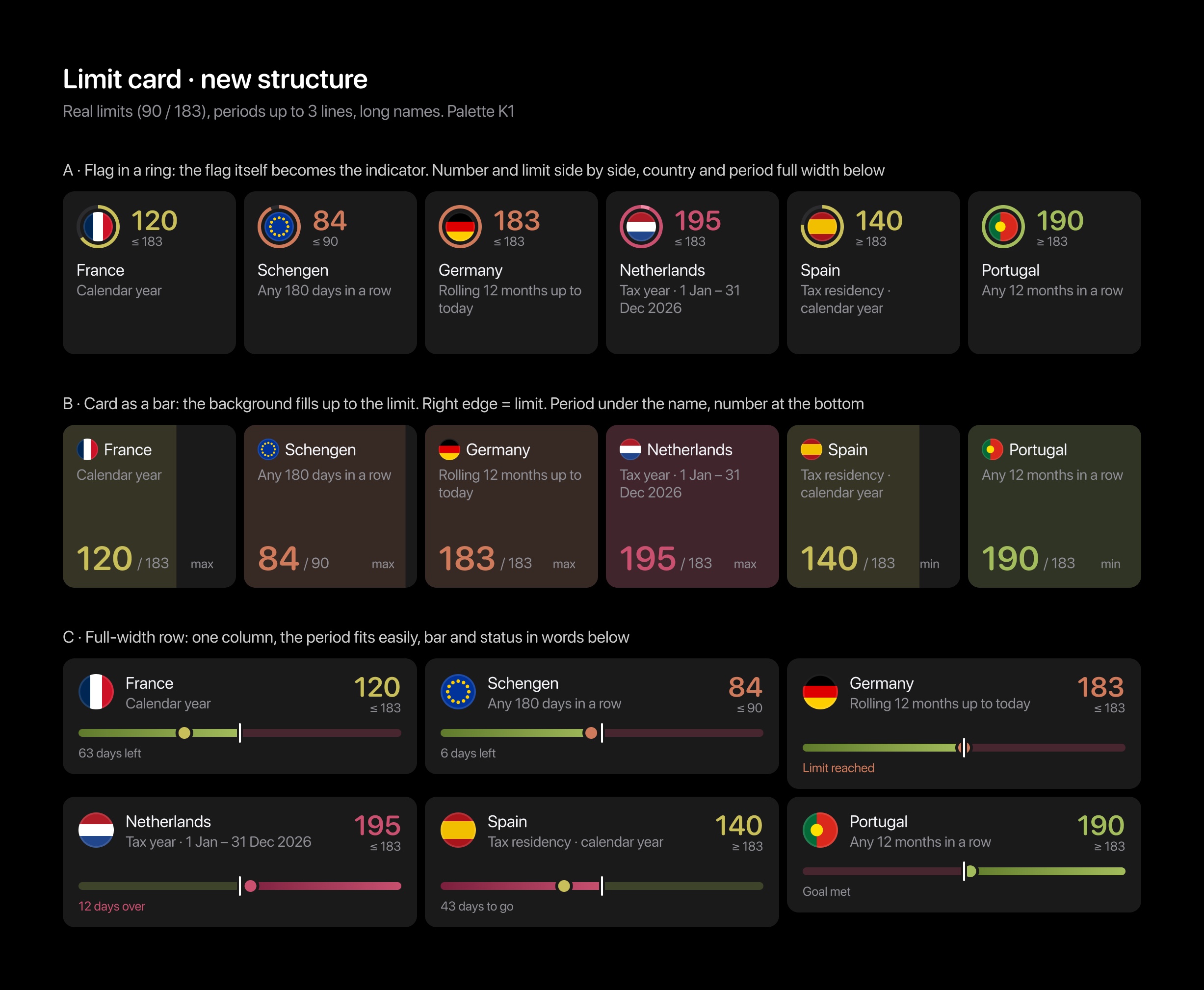
 A · Flag in a ring
 B · Card as a bar
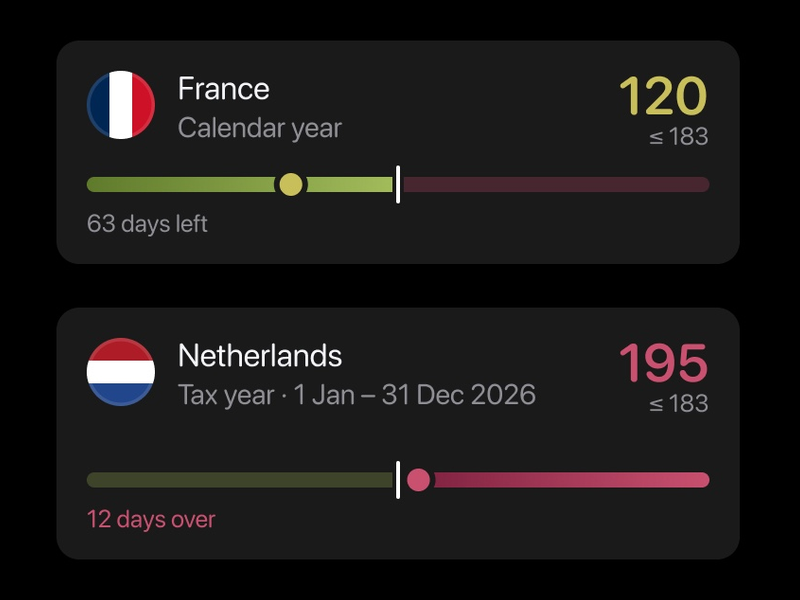 C · Full-width row
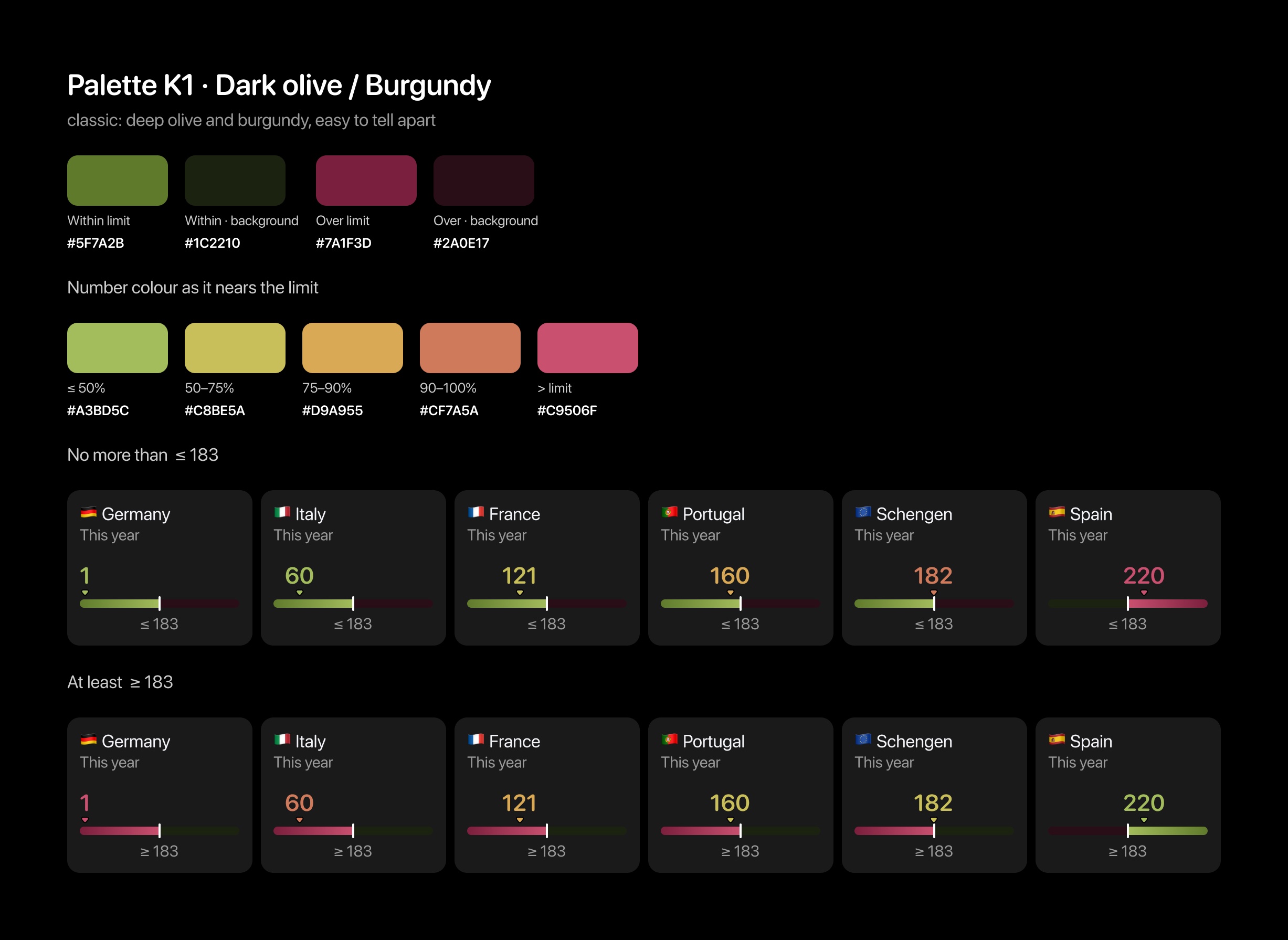
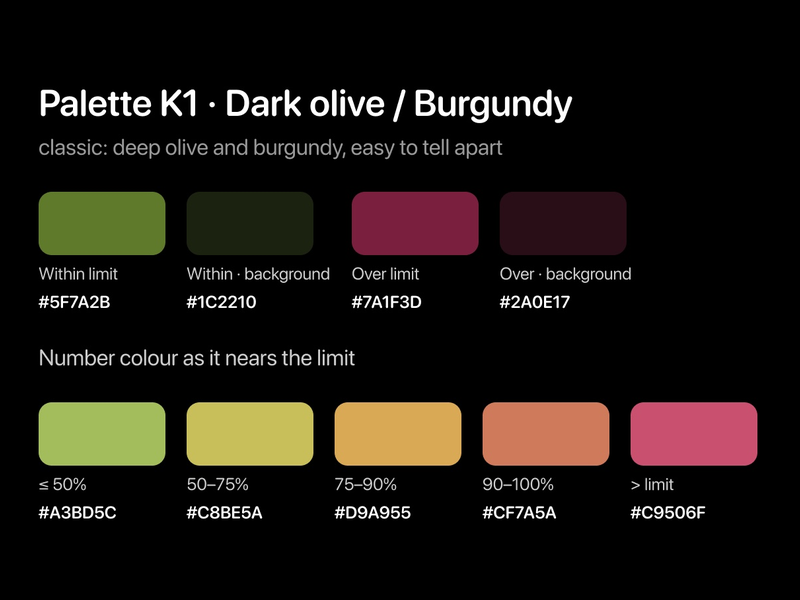 Status and number colours
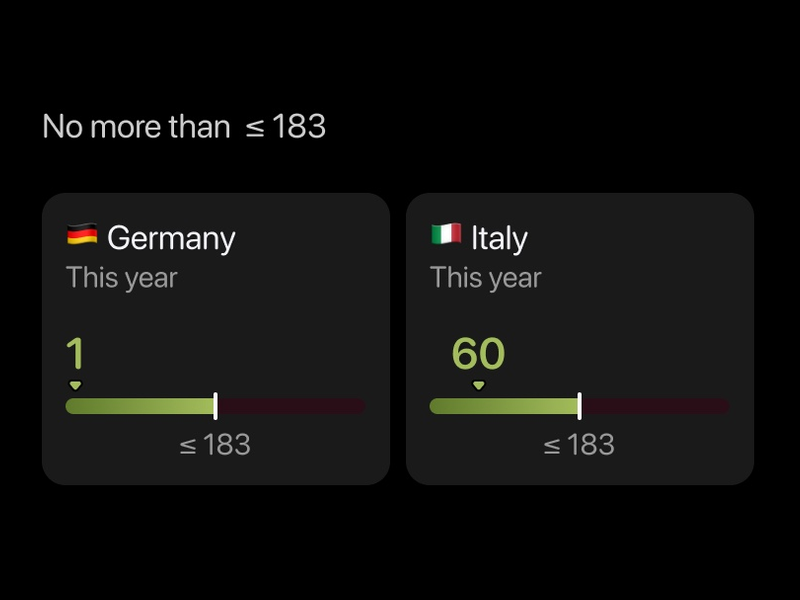 No more than ≤ 183
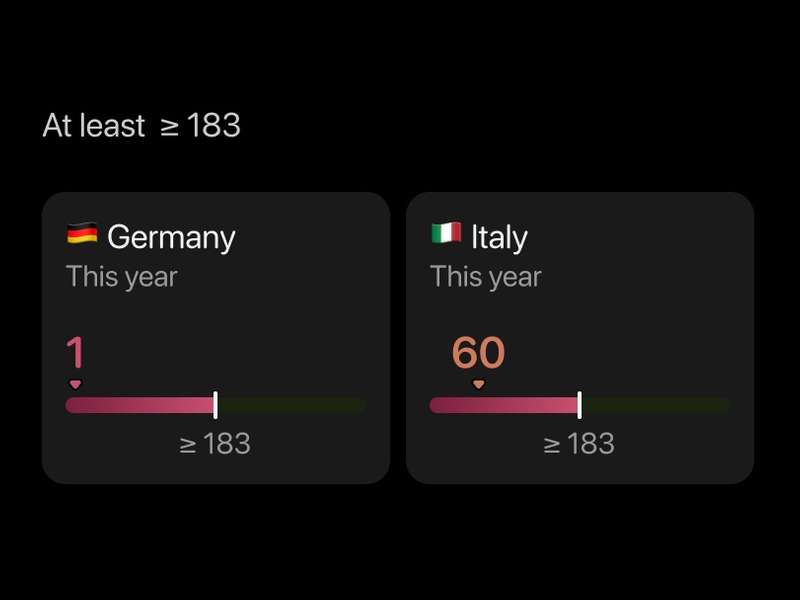 At least ≥ 183
A Schengen calculator that plans ahead
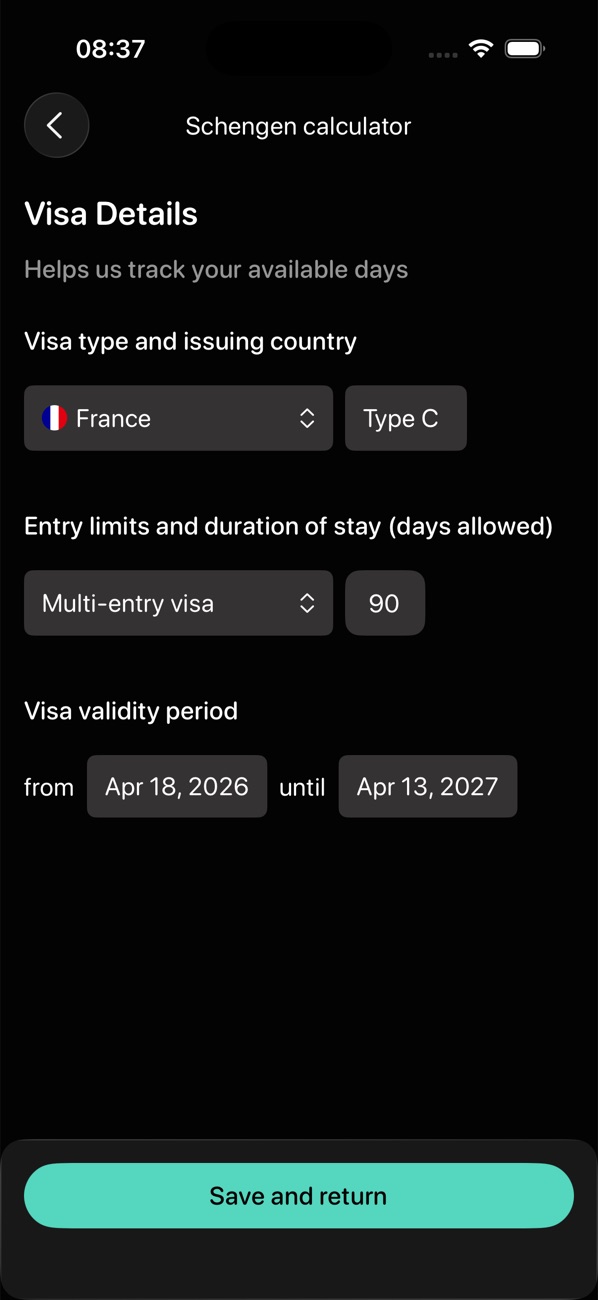
Most Schengen calculators answer “how many days have I used”. The question travellers actually have is “will my next trip fit” — and visa holders also depend on the visa's dates and number of entries.
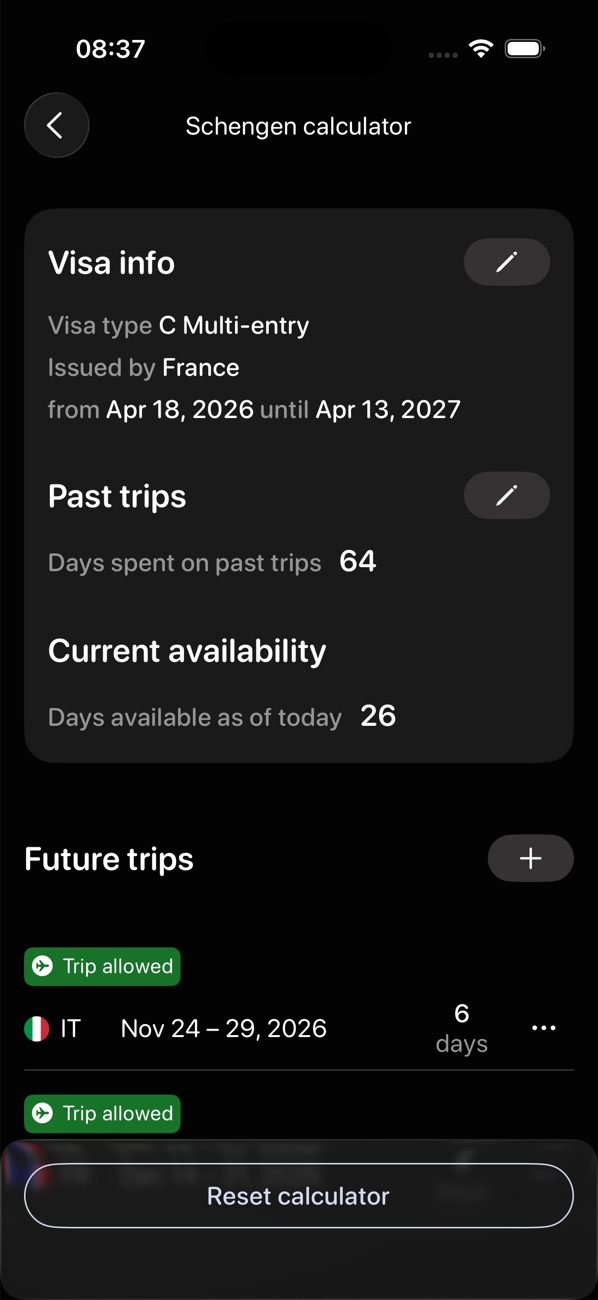
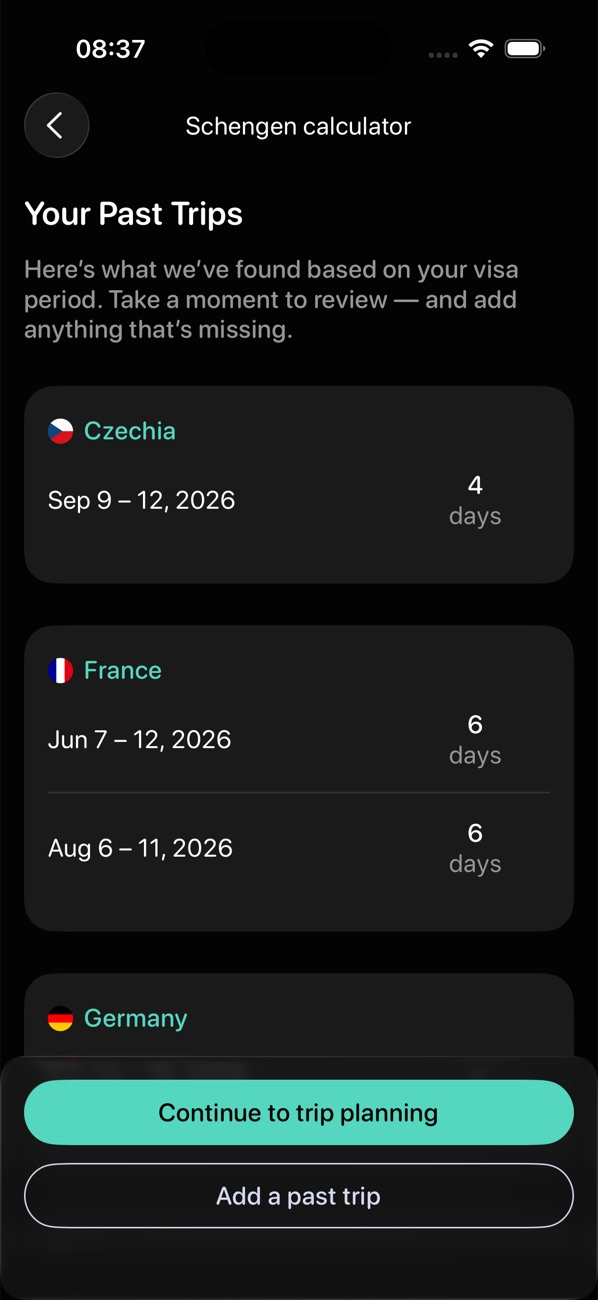
I built the calculator around planned trips. It collects the visa details step by step, takes past trips from the existing history instead of asking for them again, and gives every planned trip a clear verdict.
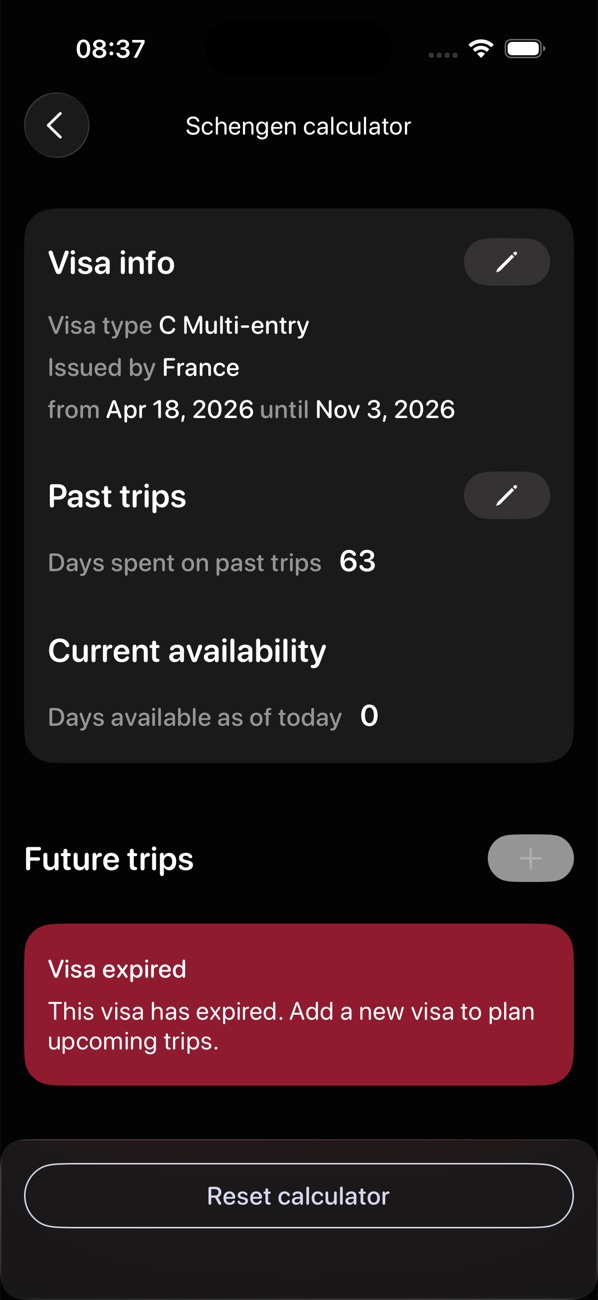
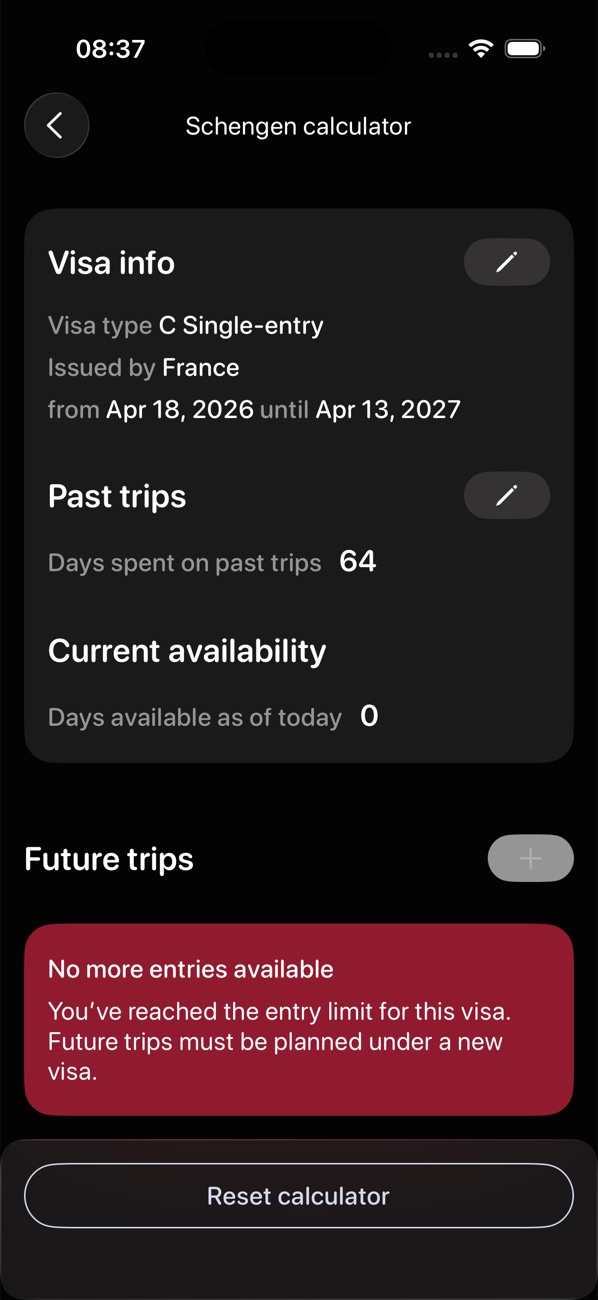
Special cases, such as an expired visa or a used single entry, appear as plain messages rather than a confusing number.
Open the Schengen card
Add a future trip: Croatia, 20–28 November
The calculator checks it against the 90/180 rule
The verdict: “Trip allowed”
Free answers, paid automation
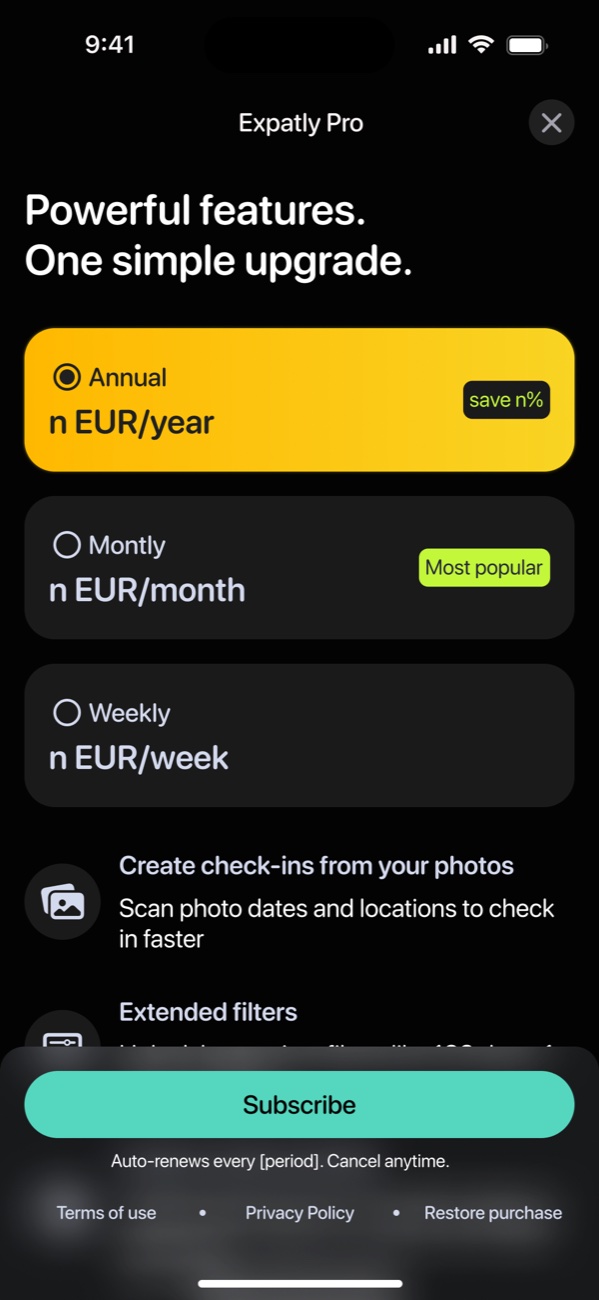
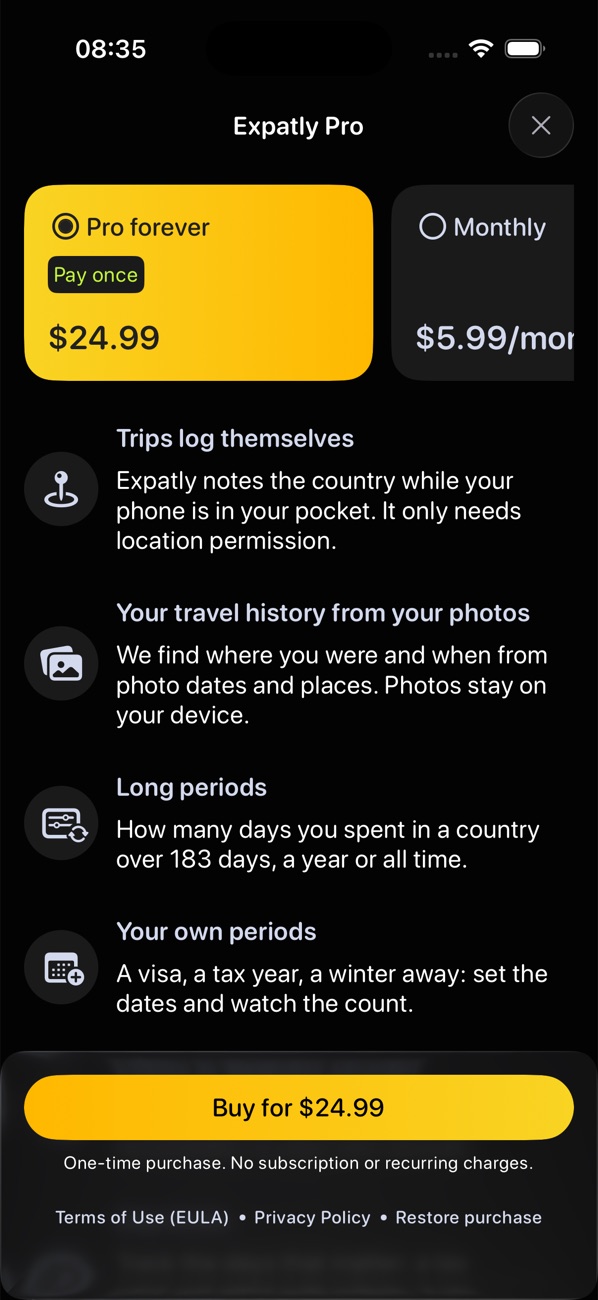
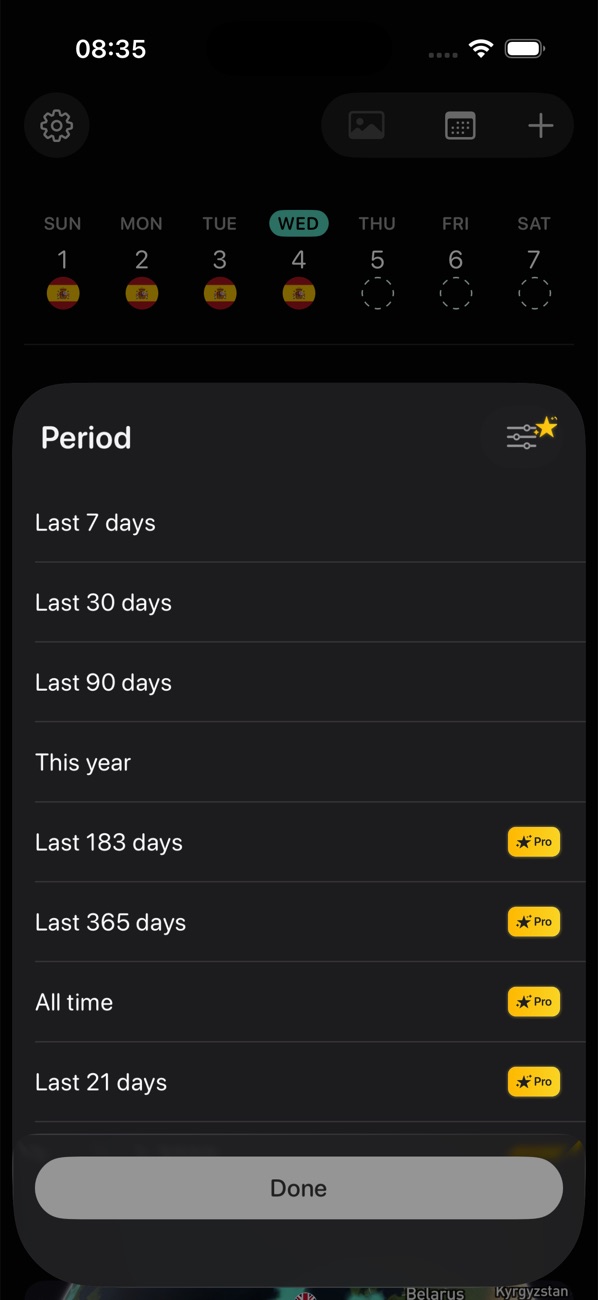
The app was free for its first year. Pro arrived in version 1.1.0, and basic counting stayed free: someone checking whether they can stay a few more days should get that answer without paying. So Free covers manual and location check-ins, the history, short periods and the Schengen calculator. Pro sells time saved and depth: background check-ins, the full photo scan, long and custom periods, limits and export formats.
The photo scan is the strongest argument for Pro, so Free includes a 30-photo trial that shows a person their own trips before the paywall. Ending Pro deletes nothing; limits wait until Pro returns.
Different questions, one history
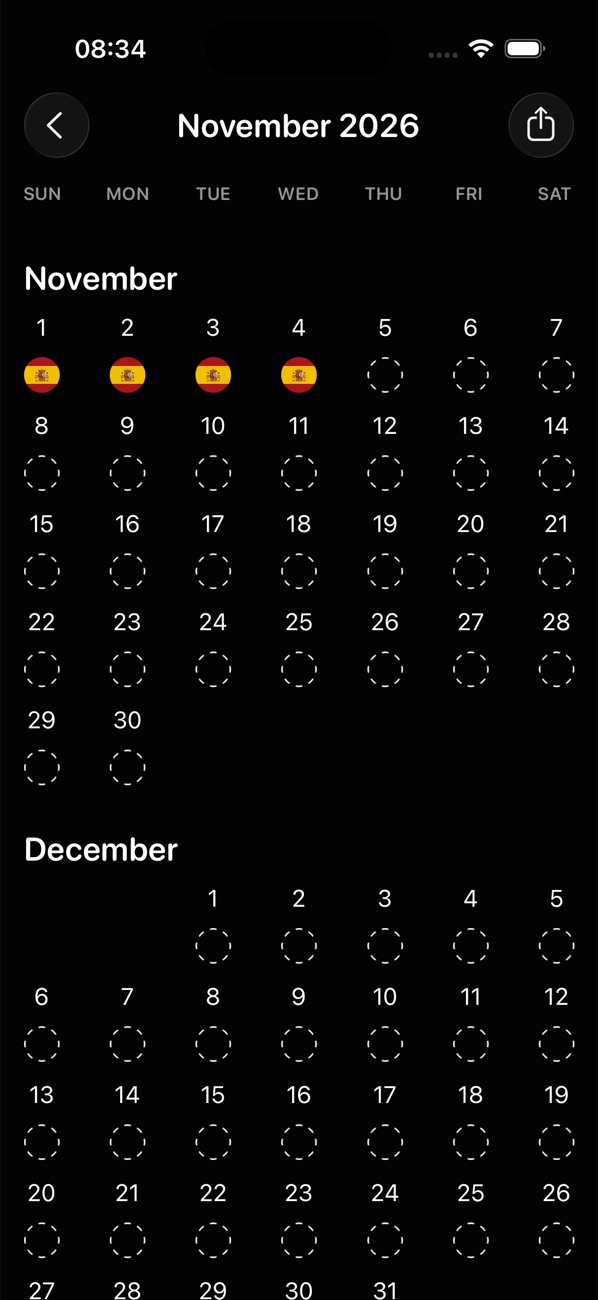
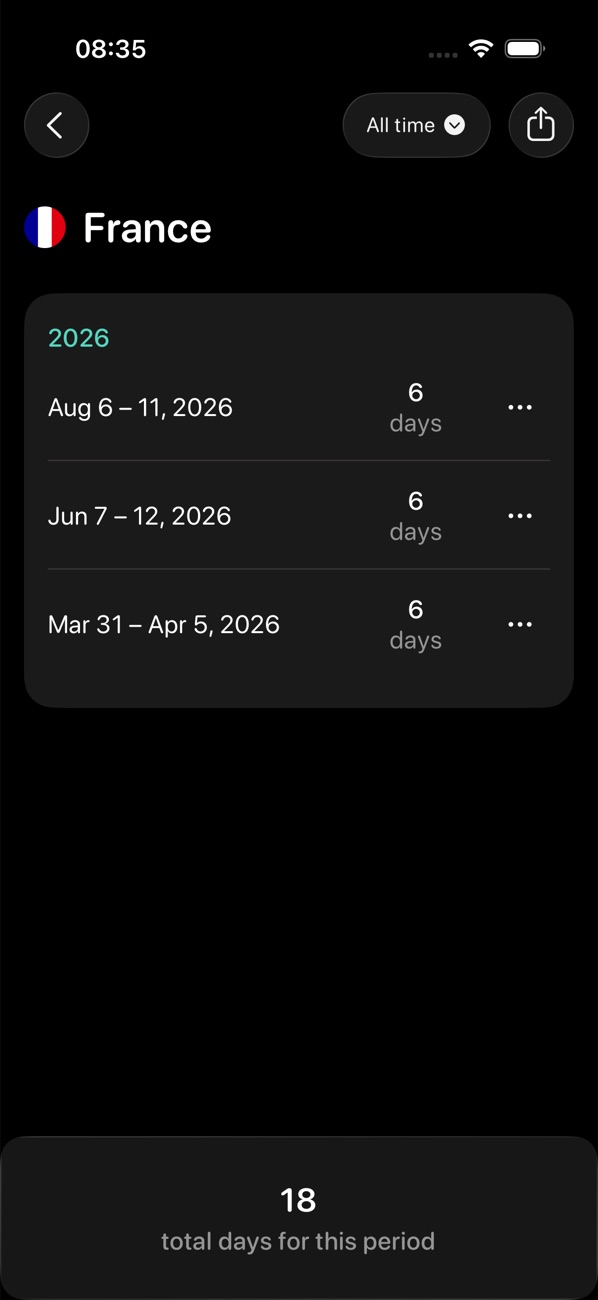
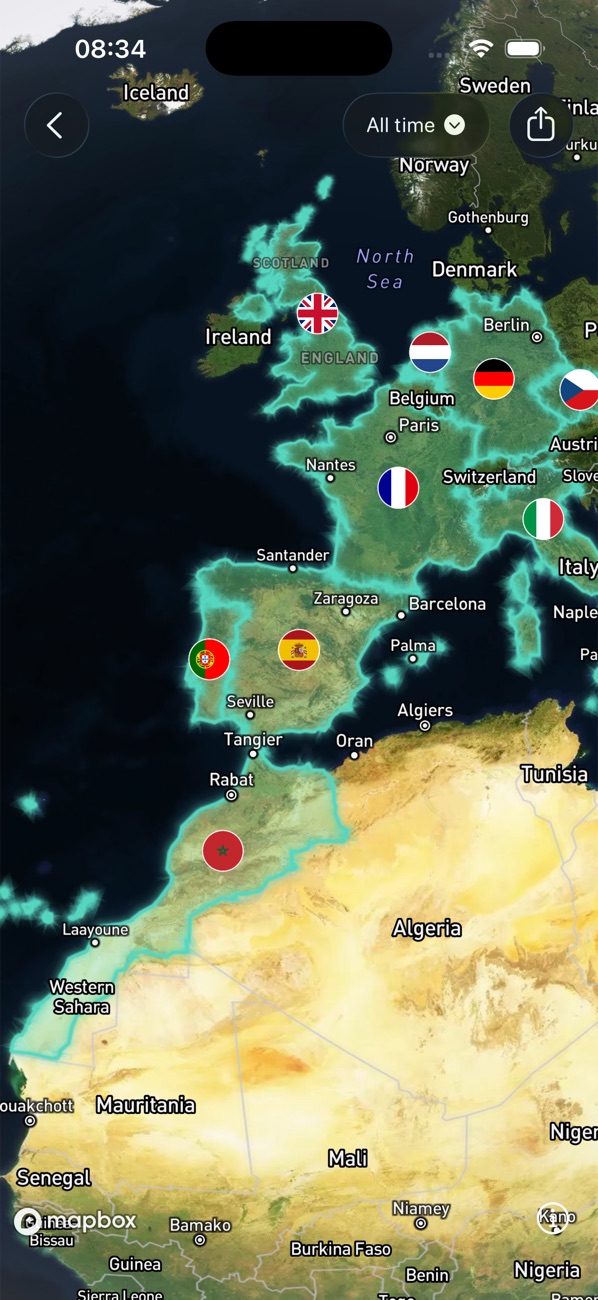
Different questions need different views of the same history. The calendar answers “where was I on that day”. Country cards show days per country for any period and open to the trips behind each total. The map shows the whole history at once.
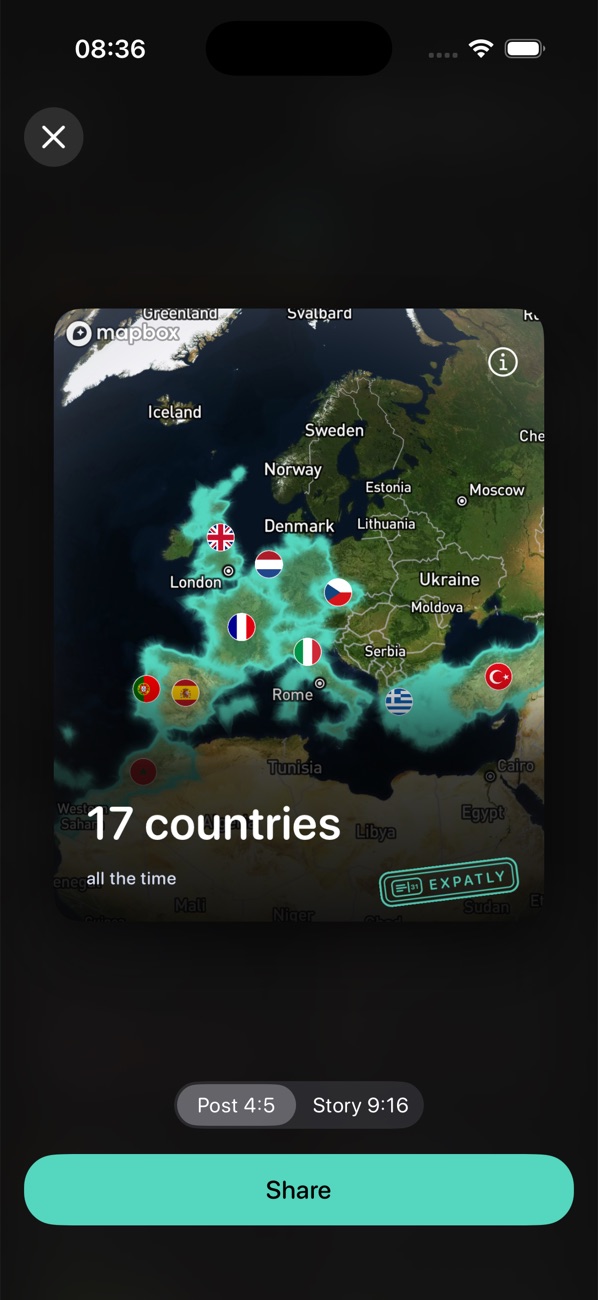
Any country total or the map can be shared as a post or story card with the Expatly mark, so a personal milestone doubles as a small acquisition channel. Export covers practical needs: JSON as a backup that can be imported back, CSV for an accountant.
Grown in small releases
The product grew in small releases, each built on what the previous one recorded.
Launch of the free tracker.
Schengen calculator for planning trips and a Schengen summary on the home screen.
Pro: photo and background check-ins, custom periods, export.
Redesign for iOS 26, the map, imports from Google Maps Timeline and Flighty, widgets, a free photo-scan trial.
Limits with official presets, a one-time Pro purchase as the default.
Live, and growing
One rule, five languages
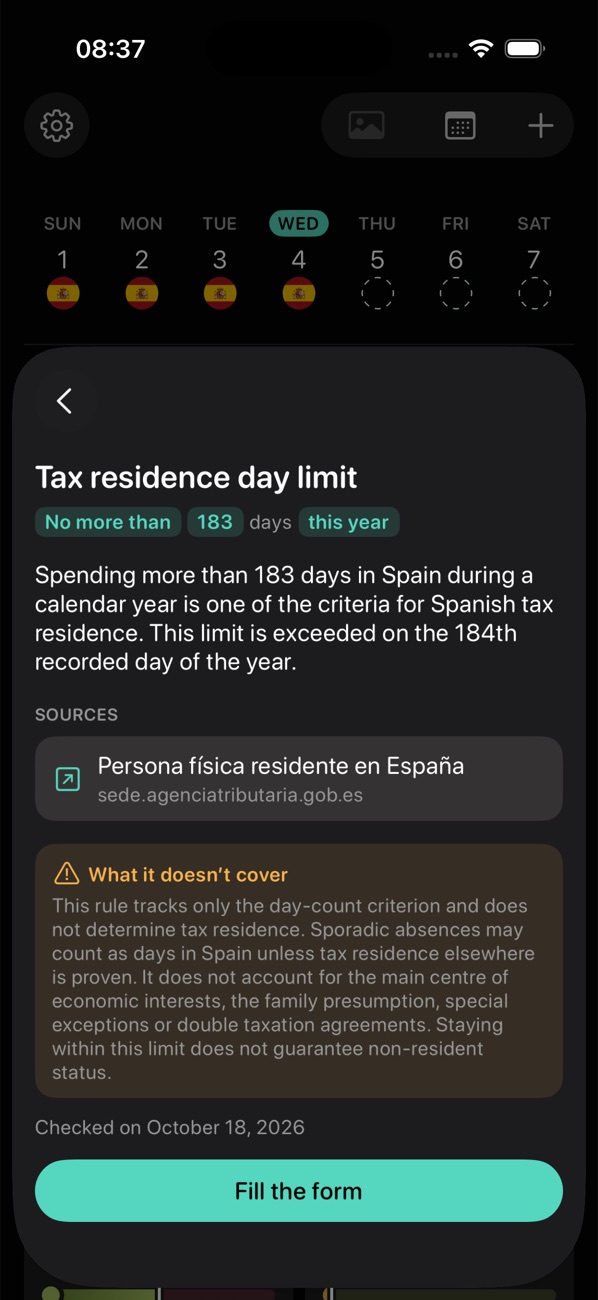
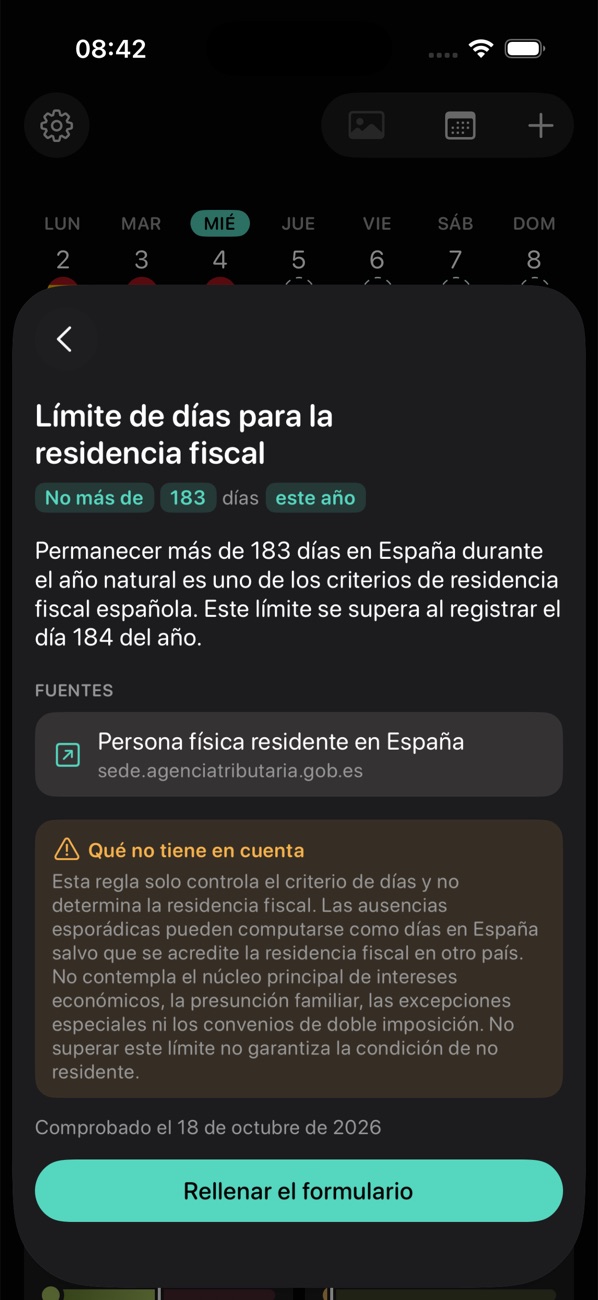
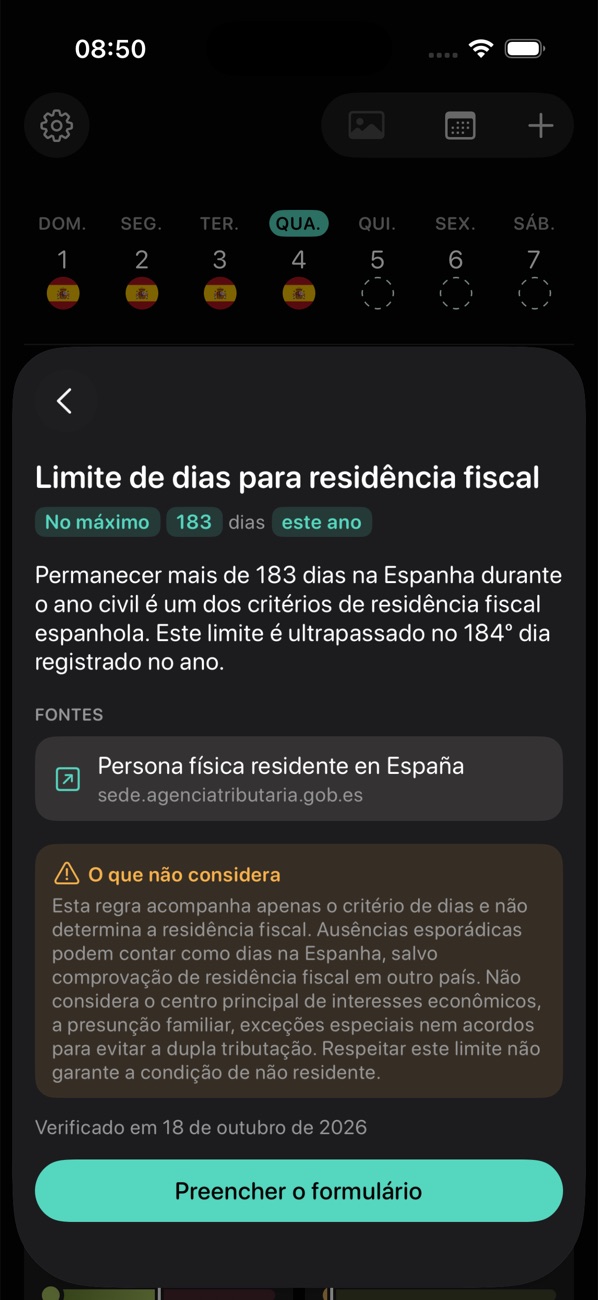
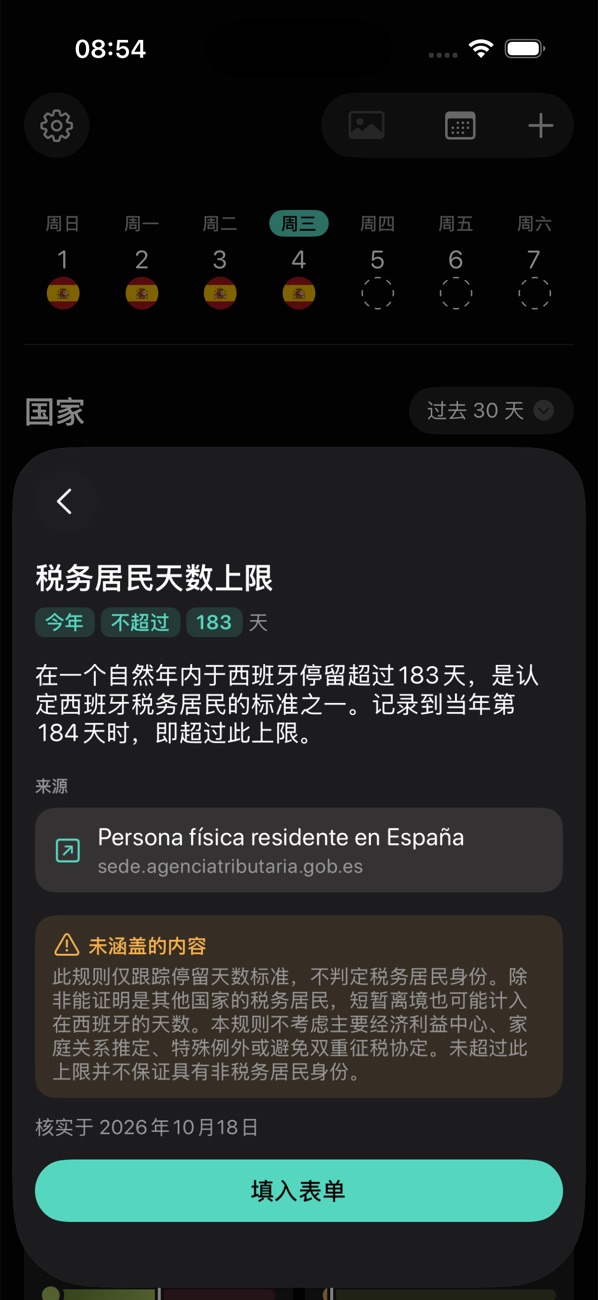
The tax-residency preset in five languages: the rule, its source and what it doesn't cover follow the language of the app.
What building a product alone taught me
Apart from engineering, I built Expatly from scratch: idea, research, pricing, interface, brand, translations, the App Store page. A designer in a team rarely sees the whole loop: an idea, a market, a release, a price, the first payments, the reviews, the next version. Each stage changes the one before it, and I now design with the whole loop in mind, not just the screen in front of me.
When the product is yours, every decision is a bet with your own time and money. I stopped asking only how to design something and started asking whether it should exist, what it costs and how we will know it worked. That is the view I now bring to any team.
Being designer, product manager, marketer and owner at once taught me why each of these roles asks what it asks. Deadlines, pricing and scope stopped being obstacles and became part of the design problem, which makes me a better partner to the people I work with.
What the product taught me
People accept automatic check-ins once they know they can fix them. The review screen did more for trust than any improvement to detection.
Every preset carries an official source and a “checked on” date, so keeping them current is part of the product, not a one-off task.
Custom periods grew one option at a time until there were too many ways to set one up. Each option made sense alone; together they made a simple question hard to ask. Simplifying them is next.